Buy XCH
Buying XCH takes a few minutes to set up the first time. After that, most purchases take less than a minute to place. You pay from a US bank account, and the XCH is delivered to a vault you control.
You need a Cloud Wallet account and at least one vault. If you have not created a vault yet, follow the Getting Started Guide first.
ACH bank transfer is the only accepted payment method. Stripe processes the transfer. Chia never stores your bank login credentials.
Create your Chia Cloud Wallet account
- Go to vault.chia.net and log in. If you do not have an account and a vault yet, follow Getting Started first.
- Open the Buy XCH tab (the $ icon).

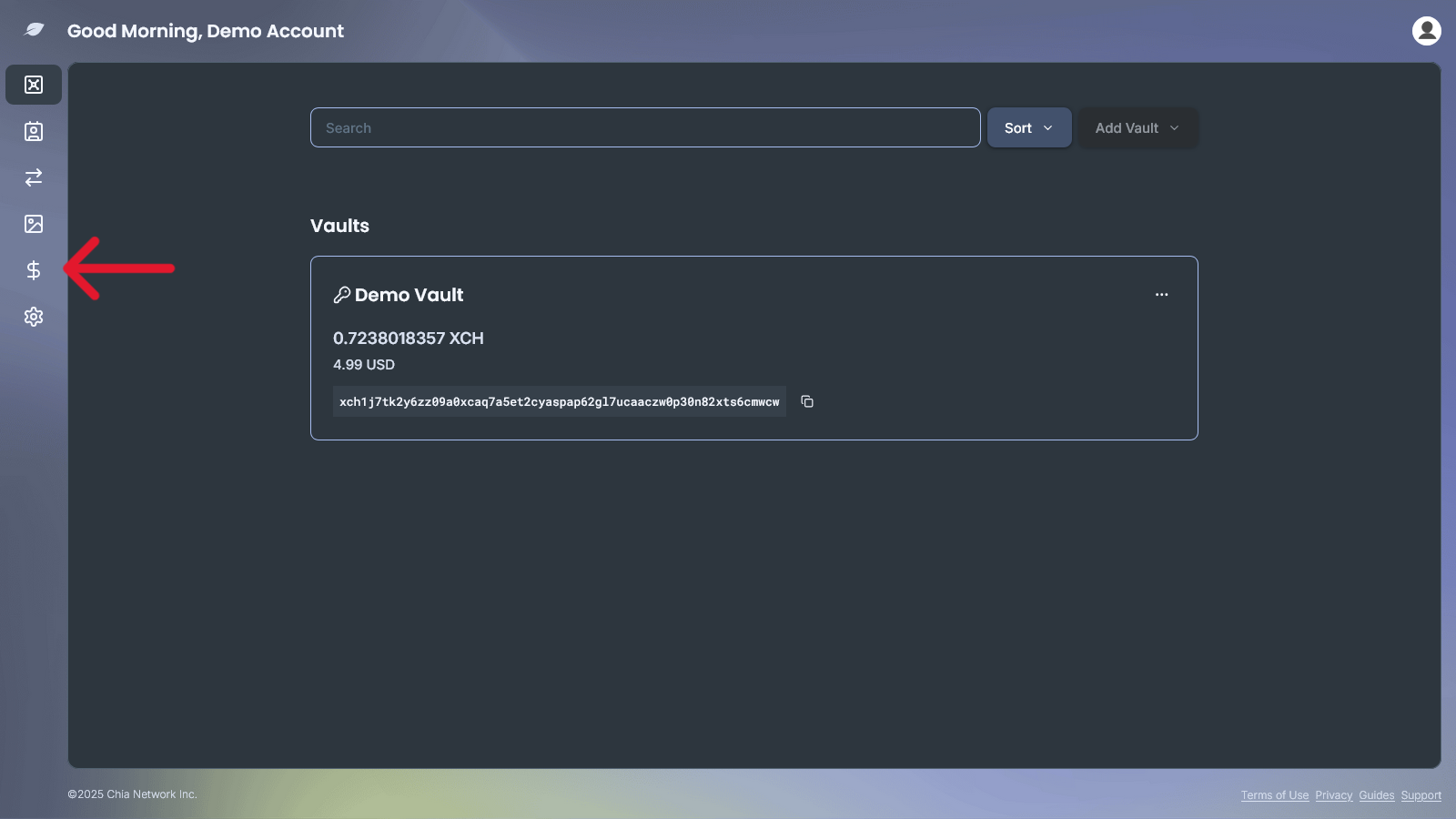
Verify your identity
First-time buyers only. This is a one-time step. Stripe hosts the identity check, so that part of the flow is not shown here.
- Click Verify My Identity.
- Agree to the data policy to start the process.
- Take a photo of a valid government ID and a selfie, then upload both. Stripe checks these instantly for most users. A small number of applicants are declined at this stage.
- Once you are verified, connect a bank account one of two ways:
- Instant: choose your bank from the list and log in with your bank credentials. Verification is immediate.
- Manual: enter your bank routing and account numbers. This option can take a couple of days to verify.
- You can save your bank details for future purchases. Right now, ACH bank transfer is the only accepted payment method.
Buy XCH
Once you are verified, or on any return visit, buying is simple.
- Enter the amount you want to buy, in USD or XCH, and choose the vault that should receive it. The exchange rate updates as you type.
- Minimum purchase: $25
- Maximum purchase: varies by user, and your limit increases as you complete more successful purchases
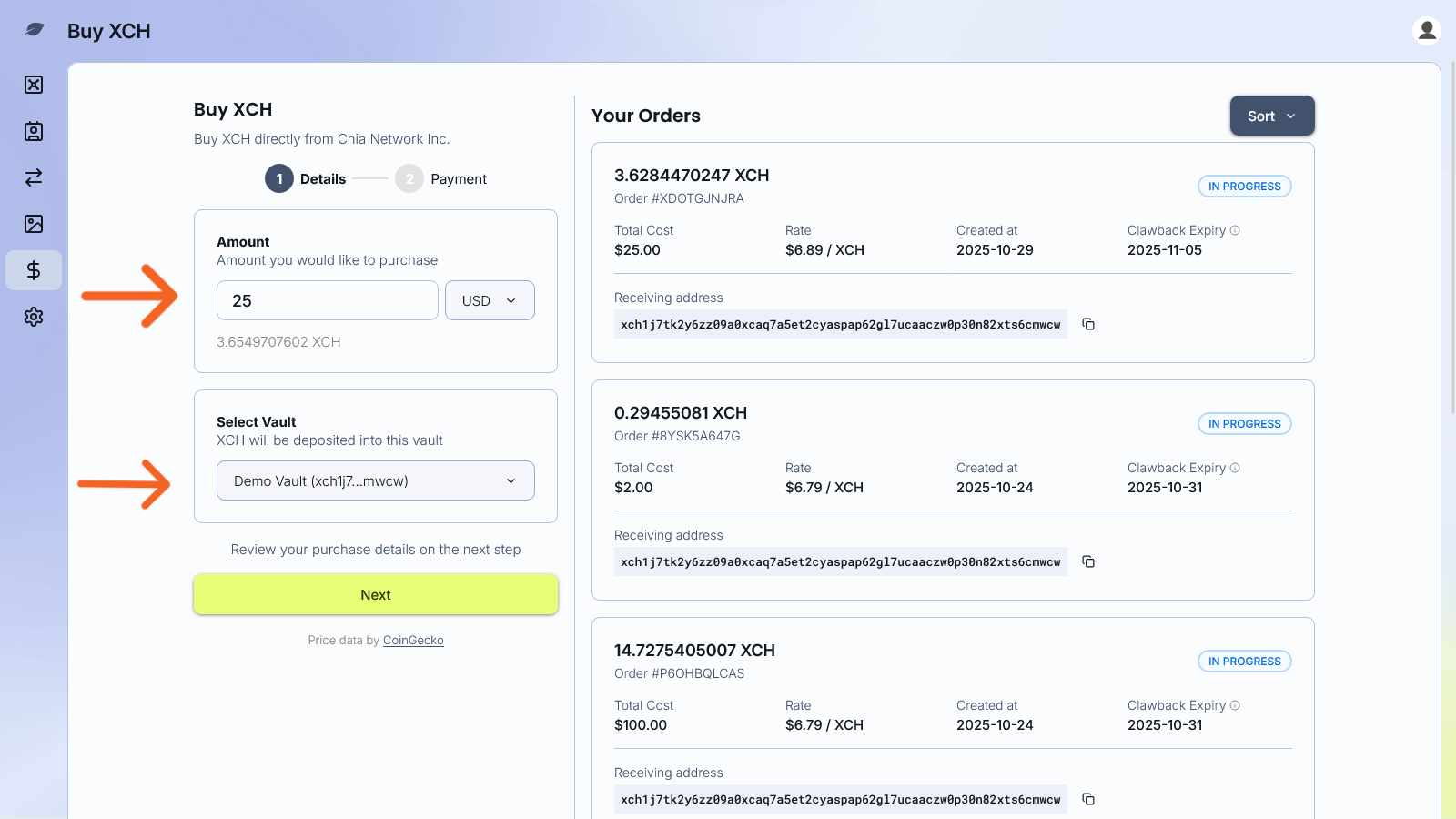
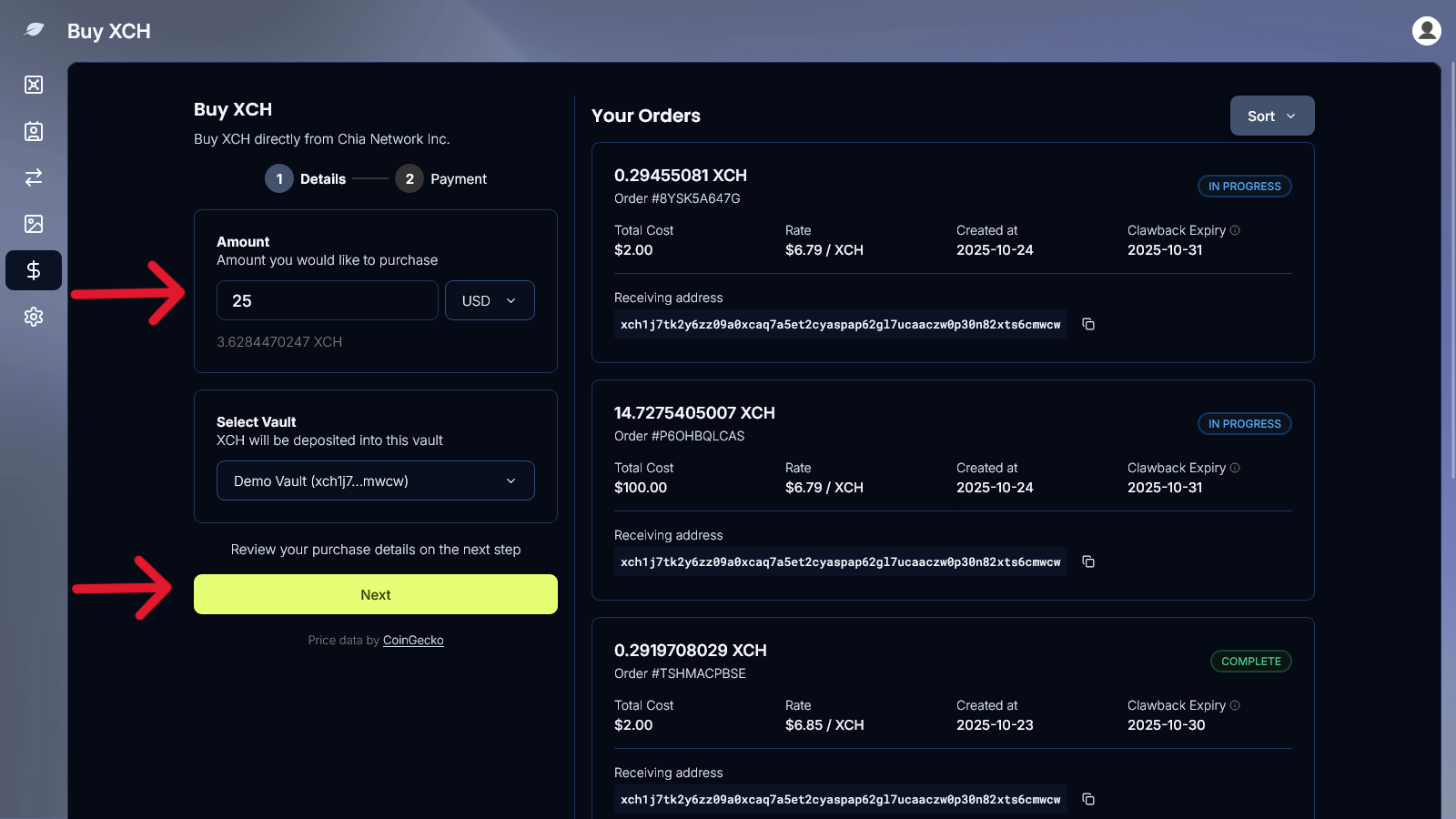
- Click Next, then choose a saved bank account or a new US bank account. For a new account, pick your bank and sign in. Stripe handles that login. Manual entry of a routing and account number is available when bank login is not.
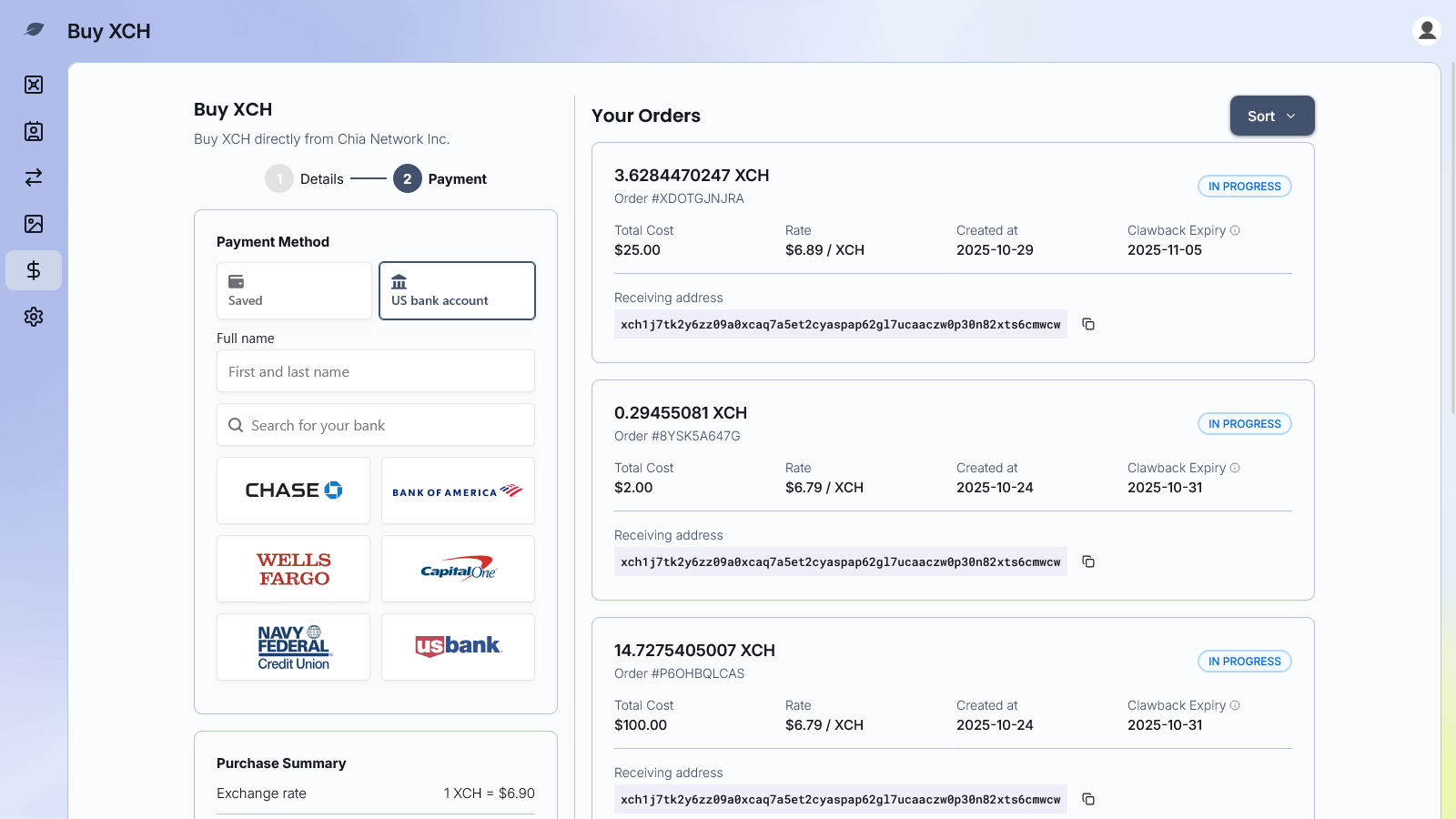
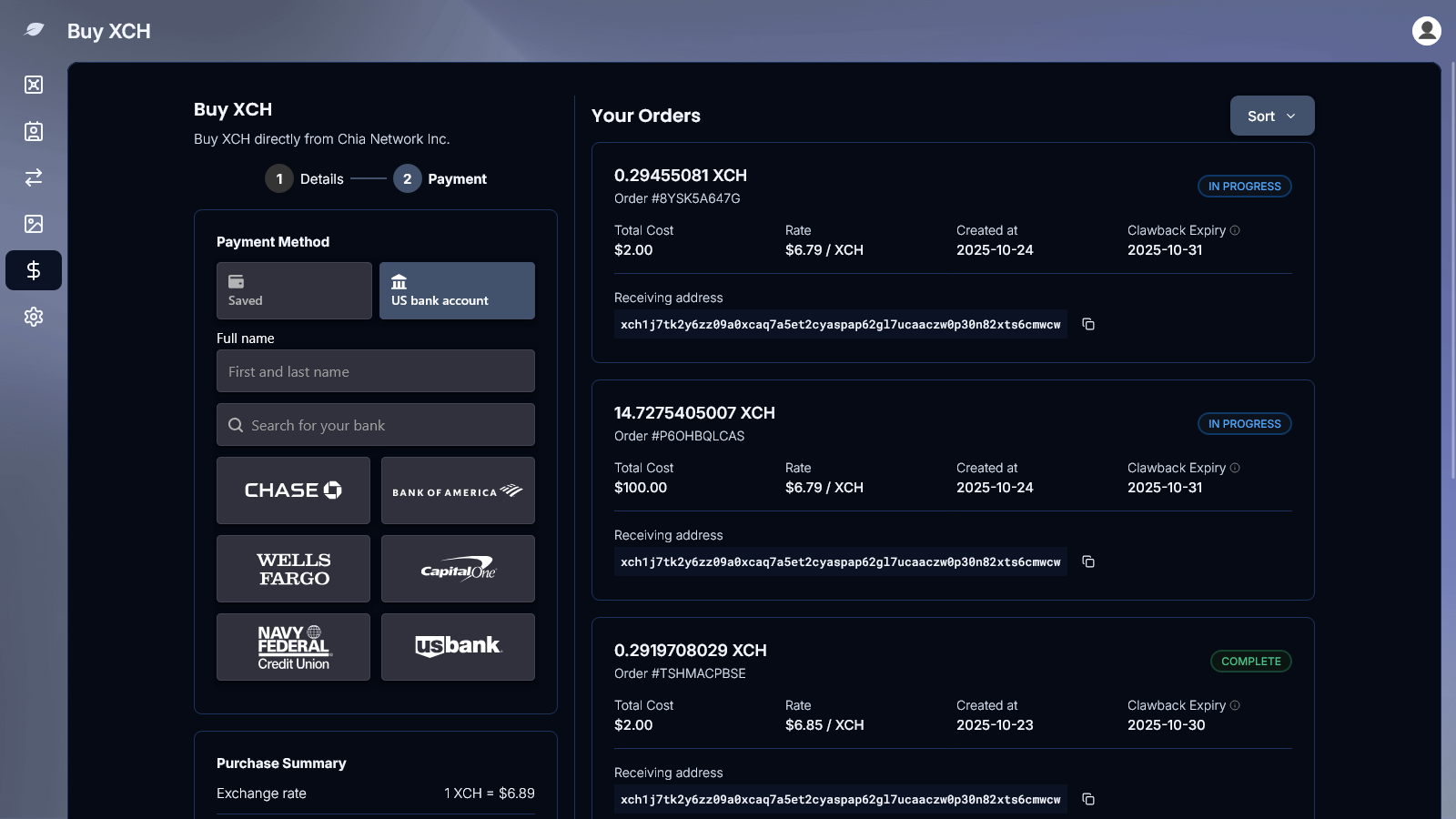
- Review the payment method, exchange rate, amount, and total, then click Buy XCH.
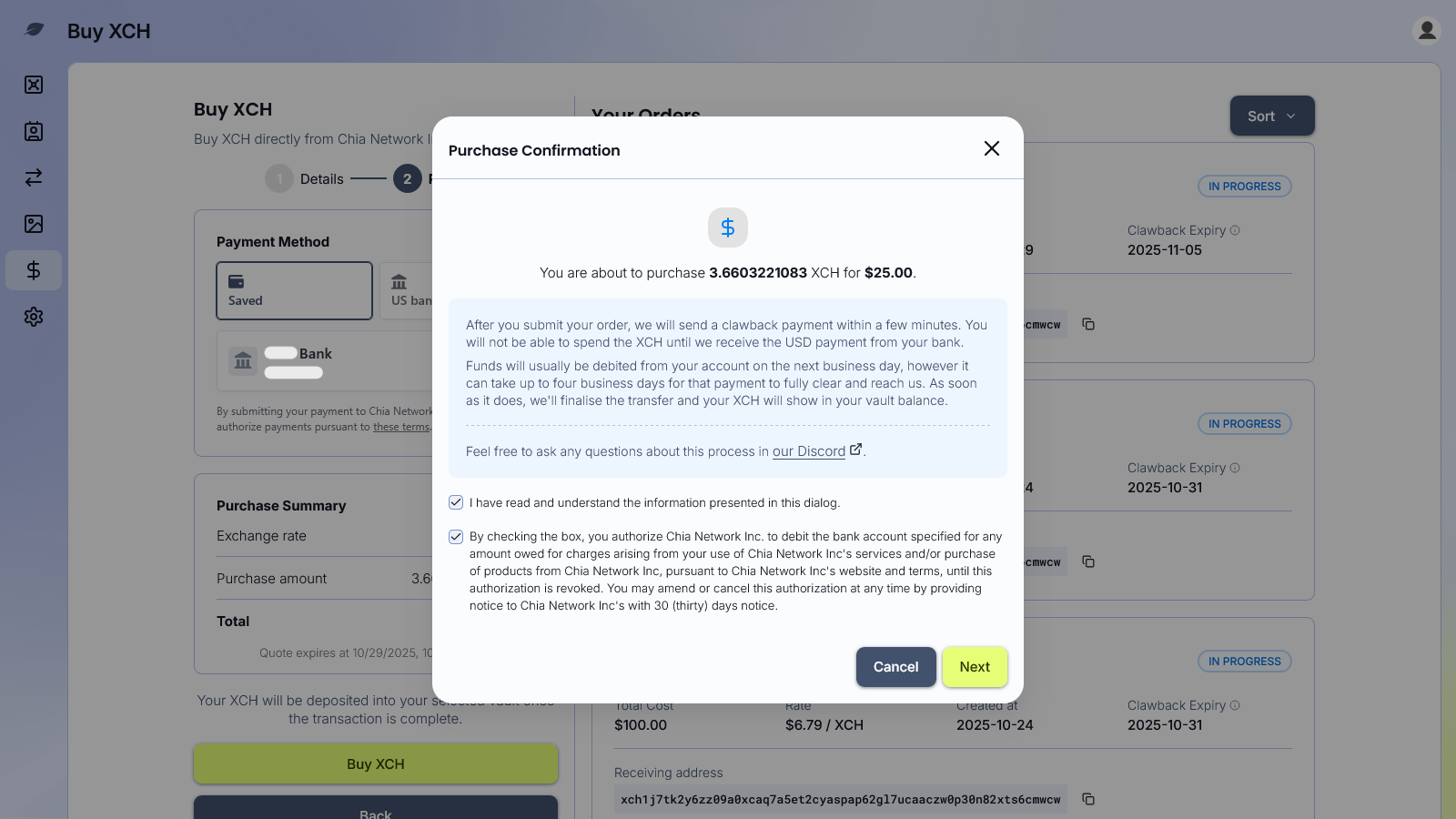
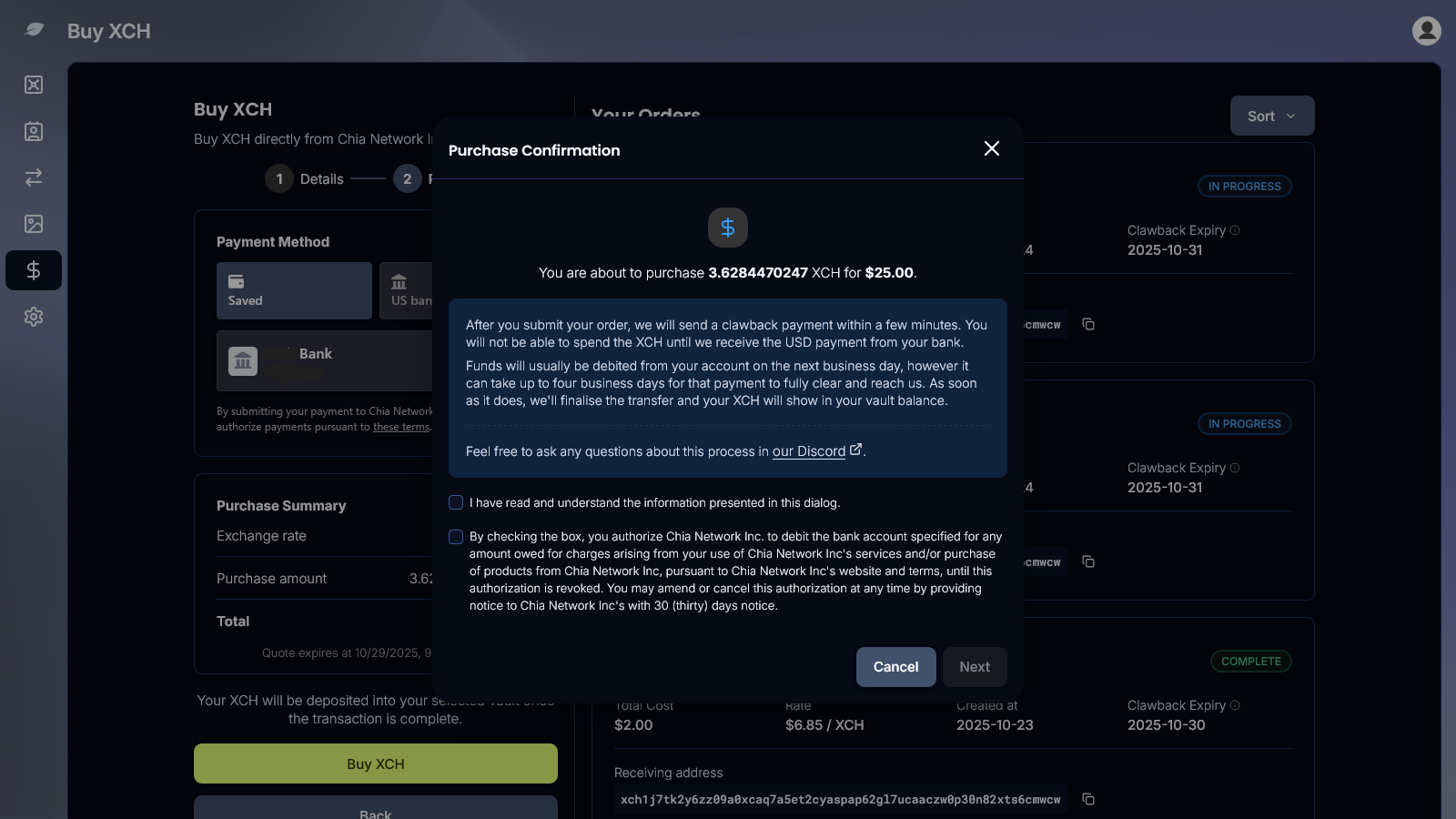
- On the confirmation dialog, read the hold notice, check both boxes, and click Next.
What happens after you buy
Your XCH shows up right away, but you get full access only after your bank payment clears. The XCH and your bank payment move on two separate timelines:
- Right awayXCHAppears in your vault with a safety hold.BankYour ACH payment starts.
- 3 to 5 business daysBankYour payment settles.
- 1 to 3 days laterXCHThe hold lifts and you have full access. This is what usually happens.
- 14 days at the latestXCHThe hold always ends by this date.
The safety hold is called a clawback. It protects against payment reversals, such as a bank transfer that fails after the XCH is delivered. The app shows the latest date your hold will lift. The 14-day limit leaves room for weekends and bank holidays.
Quick reference
| Step | What you need | Time required |
|---|---|---|
| Create account | 1–2 minutes | |
| Verify identity | Government ID + selfie | Instant for most users |
| Connect bank | Bank login (instant) or routing and account number (manual) | Instant to a couple of days |
| Buy XCH | Minimum $25 | Under a minute to place |
| Full access to funds | — | Usually within a few days; hold expires at 14 days at the latest |
Troubleshooting
If you run into a problem while buying XCH:
- Confirm the vault is fully created and has an address
- Confirm the purchase amount is at least $25 and within your current limit
- Confirm the bank account has sufficient funds
- For anything else, use In App Support